Your rider.
Done before soundcheck.
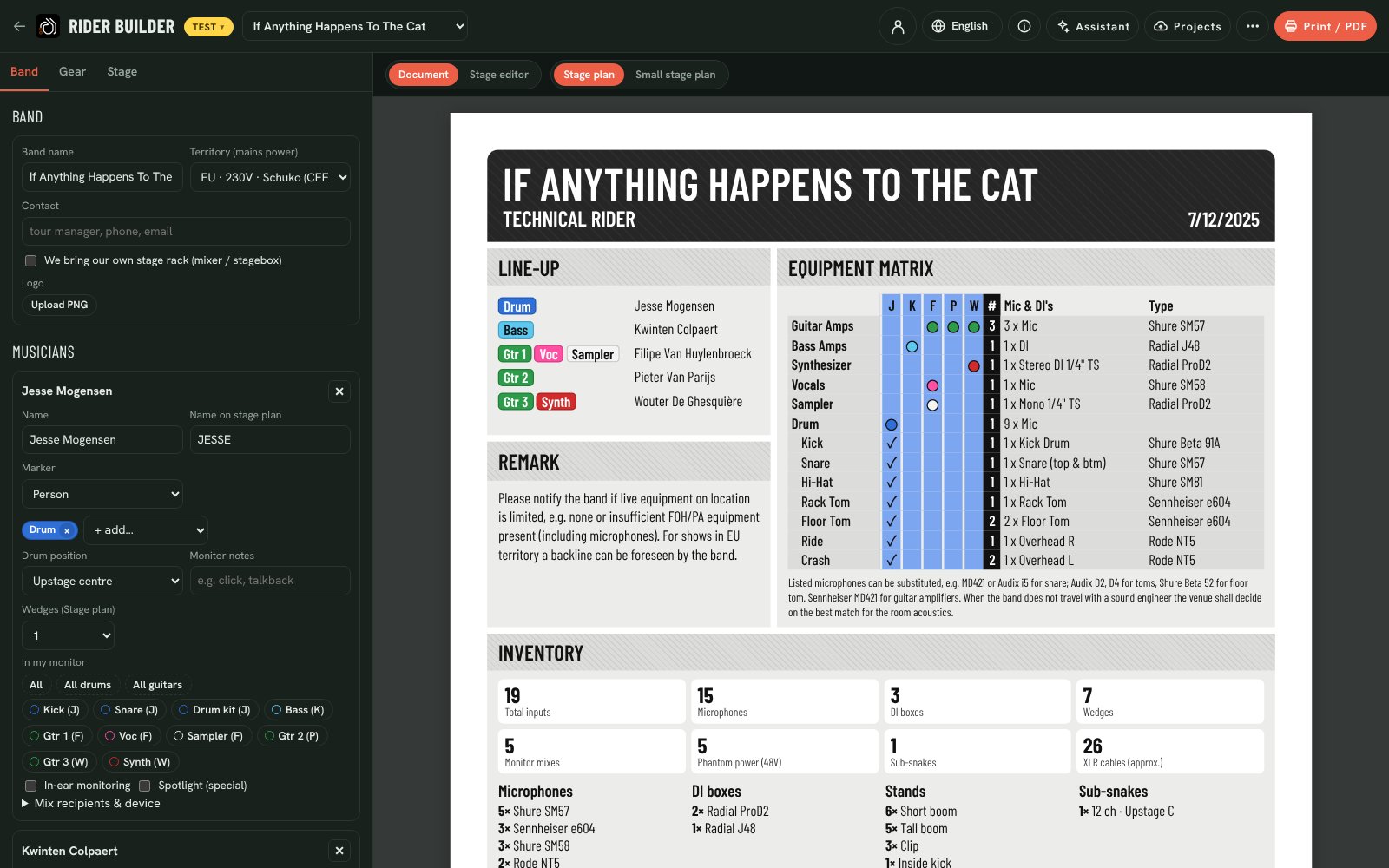
Tell Backlion who plays what. It writes the rider the crew actually needs: input list, mics and DIs, stage plan, monitor mixes, power and lighting. You never pay for it, and the venue gets it the way they like it.
Pick the instruments. Get everything else.
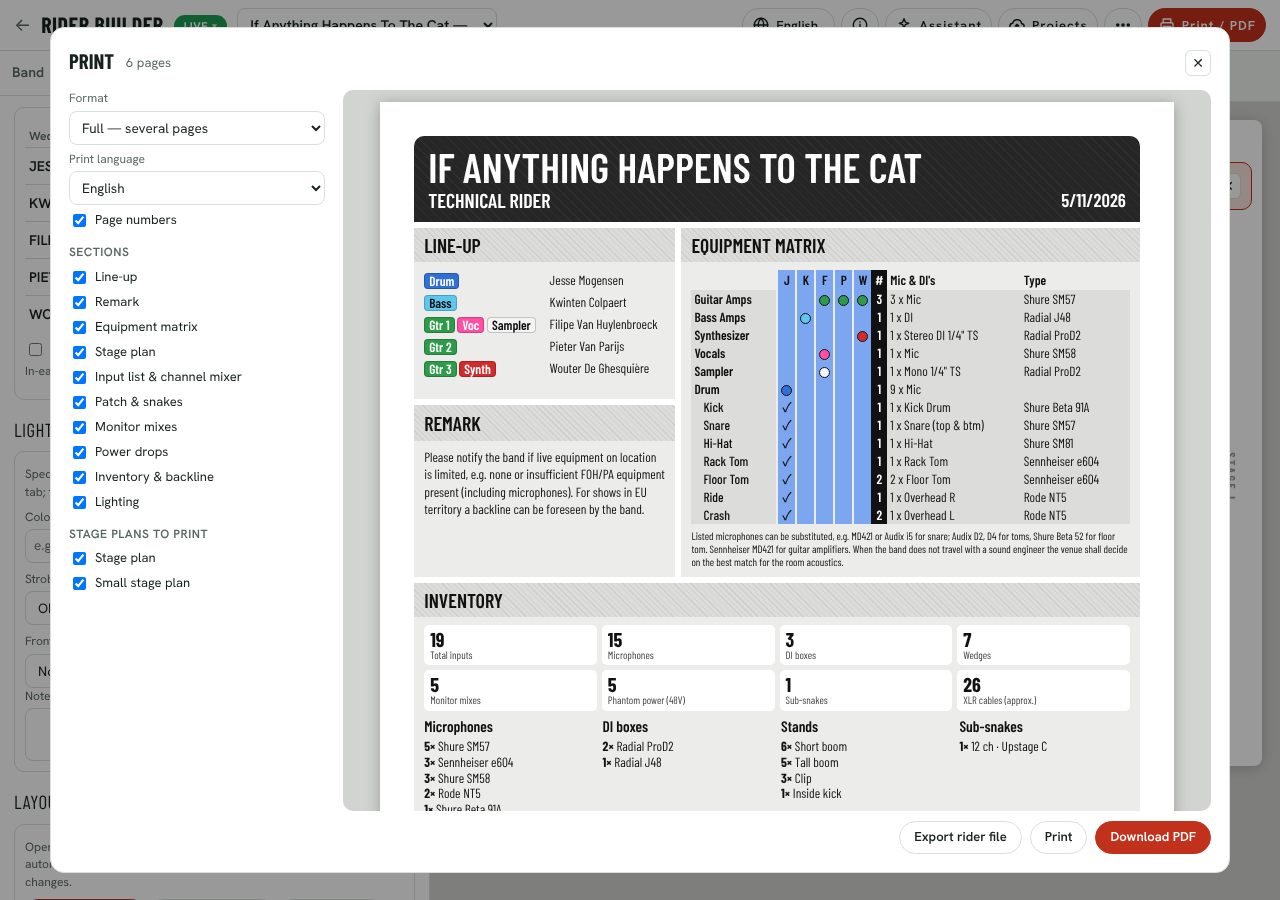
Add each musician and choose what they play. Backlion fills in the channels, mics, DIs, stands, amps, wedges, 48V, sub-snakes, XLR count and mains power for your territory. Change anything afterwards; your edits stay.
A stage plan the crew can read
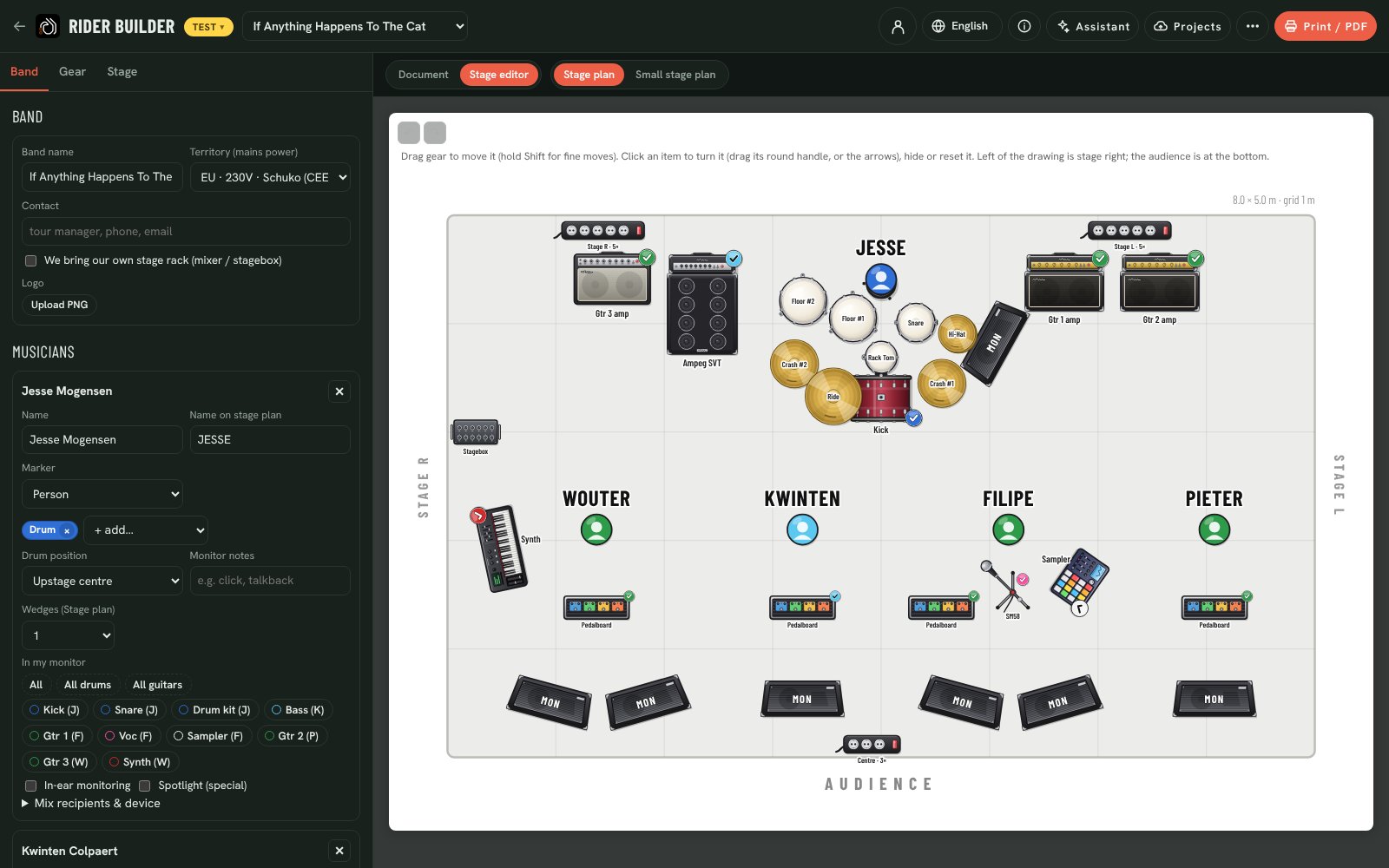
Drawn as the audience sees it, with every amp, kit piece, pedalboard and wedge. Drag gear into place; moved items keep their spot when the line-up changes. Keep a full-show plan and a small-venue plan side by side, each with its own wedges.
Say what you bring and what you’d like
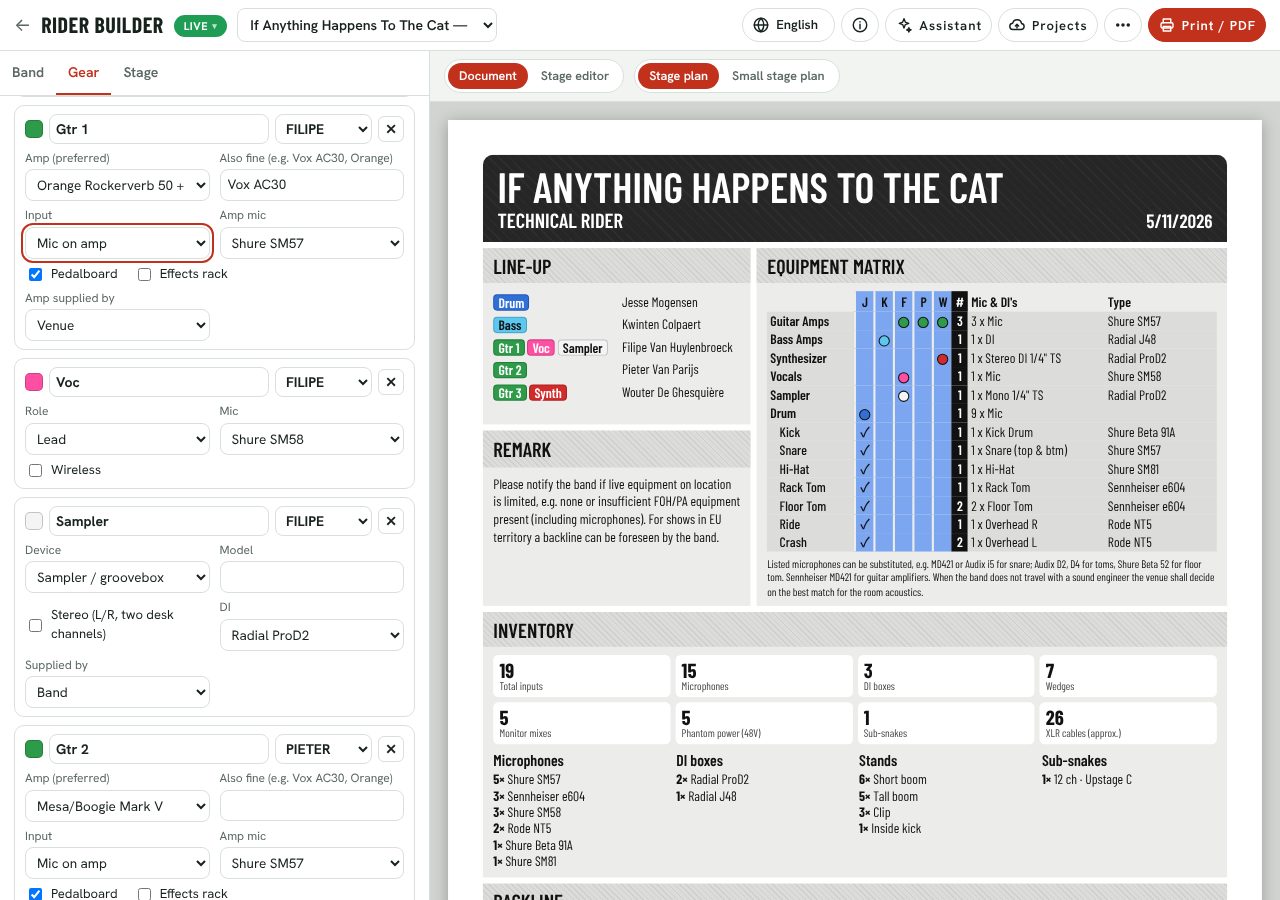
Name your preferred amp and what else is fine (“Vox AC30, Orange”). Say whether you bring it or the venue does, and whether you play the house kit, bring a snare and cymbals, or bring your own kit. The venue’s backline is matched against your wishes, and you see what you’ll get.
Everyone hears what they asked for
Tap the sources each musician wants in their monitor: once for a bit, twice for lots. Wedges, in-ears in mono or stereo, extra drum fills or side fills. On show day each musician can open a private link on their phone and ask the monitor engineer for more or less.
MON Filipe
One page, or the full pack. In their language.
Print a condensed A4 page per stage plan, or a full rider with every section. Choose English, 中文, Deutsch, Français, Italiano or Español, or print two side by side for an international tour. Shared riders print a QR code to the live version, and labels for every instrument carry a QR code the crew can scan.
The venue always has the right version
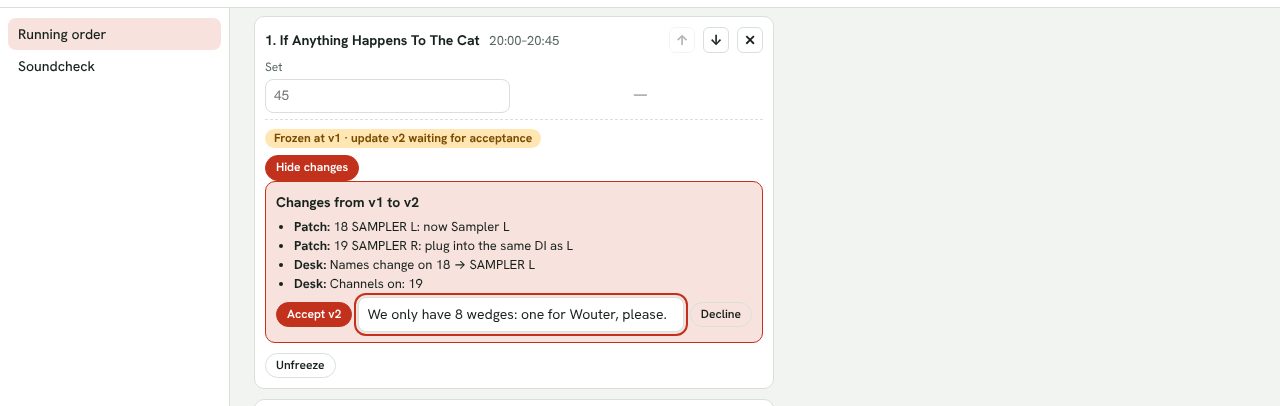
Save online and the whole band can open the rider; every saved version is kept and can be restored. Share a live, read-only link, or hand the rider in to an event through the slot link the venue sends. Once the venue freezes it, your later changes reach them as clear updates to accept, and you see if they changed the stage.
“Pieter plays a Fender Twin now.”
Change your rider by saying what you want, in any of the six languages: “Kwinten wants two wedges, print in German”. The Assistant proposes the changes, the preview shows them, and nothing changes until you press Apply. Undo is one click away.
“Pieter plays a Fender Twin now and Kwinten wants two wedges.”
- Gtr 2 amp: Fender Twin Reverb (was Orange Rockerverb)
- Kwinten: wedges 1 → 2 on the stage plan
Questions
Do bands pay?
No. Building, printing, exporting, saving online, bandmates, share links and handing in to events are free. Venues and crews pay for the stage side. See pricing.
Do I need an account?
Not to build, print or export. Your rider is kept in your browser straight away. Create an account (email or Google) to save online, work with bandmates and hand in to events.
The venue doesn’t use Backlion. Is it still useful?
Yes. Send them the PDF or a live share link. The printed rider is a complete, readable technical rider; the QR code on it always opens your latest version.
We play very different stages. Can we keep a smaller version?
Keep several stage plans in one rider, for example the full show and a small-venue version, each with its own wedges. The venue chooses which plan they use for their stage.
Does it work offline, on tour?
Once the page is loaded, editing, the stage plan, printing and exports work without a connection. Saving online needs a connection.